Your wedding invitation sets the tone before a single guest arrives. It's the first thing people hold, read, and judge. And the fonts you choose? They do most of the heavy lifting. Abril Fatface contrasting font pairing for wedding invitations works so well because this typeface brings drama, elegance, and personality but only when you pair it with the right companion. Get that contrast wrong, and your invite looks cluttered or flat. Get it right, and it feels like a love letter before anyone reads a word.
What Makes Abril Fatface a Strong Choice for Wedding Invitations?
Abril Fatface is a display serif with thick strokes, high contrast between thick and thin lines, and a distinctly romantic feel. It draws inspiration from classic didone typefaces used in 19th-century poster design. For wedding stationery, that means it reads as both timeless and bold perfect for names, headers, and monograms on an invitation suite.
The catch is that Abril Fatface is a headline font. It was designed to be used at large sizes. Setting paragraphs or small details like RSVP info in Abril Fatface creates readability problems. The thick strokes become heavy, and the thin strokes disappear at small sizes. This is exactly why contrasting font pairing matters you need a second typeface to handle the body text and supporting details while Abril Fatface owns the spotlight.
Why Does Font Contrast Matter So Much for Wedding Invites?
Font contrast is the difference between two typefaces used together. Good contrast creates visual hierarchy it tells the reader's eye where to look first, second, and third. On a wedding invitation, that hierarchy usually follows a clear order: the couple's names (biggest, most dramatic), the event details (clean and readable), and the fine print like dress code or registry info (subtle and supportive).
Without contrast, everything blends together. If you pair Abril Fatface with another heavy serif, the page looks monotonous and hard to read. If you pair it with something too similar in weight, you lose that layered effect. The best font pairing with Abril Fatface uses a typeface that is noticeably different either a clean sans-serif, a light geometric, or a delicate humanist font.
What Are the Best Contrasting Font Pairings With Abril Fatface?
Here are pairings that real designers and stationers use for wedding invitations, with specific reasons each one works:
Abril Fatface + Lato
Lato is a humanist sans-serif with gentle, rounded letterforms. It balances Abril Fatface's dramatic thick-thin contrast without competing for attention. Use Lato at a medium weight for event details, RSVP lines, and secondary text. This pairing works especially well for modern romantic invitations think blush tones, clean layouts, and wax seals.
Abril Fatface + Montserrat
Montserrat brings geometric precision. Its even stroke width and open letter shapes make it extremely legible at small sizes, which is critical for fitting venue addresses and timing details on a single card. The pairing feels contemporary and polished a strong match for minimalist or urban-chic wedding themes.
Abril Fatface + Raleway
Raleway is an elegant sans-serif with thin, graceful strokes. When used at light or regular weight alongside Abril Fatface, the contrast in weight is immediate and striking. This pairing leans romantic and airy ideal for garden weddings, destination events, or watercolor-themed suites. Be careful with Raleway at very small sizes, though; its thin strokes can get lost on textured paper.
Abril Fatface + Cormorant Garamond
If you want a pairing that stays entirely in the serif family, Cormorant Garamond is the way to do it. It's a high-contrast serif too, but much lighter and more refined than Abril Fatface. Together, they create a classic editorial look think of a beautifully typeset book page. This combination suits formal black-tie invitations and calligraphy-inspired layouts.
Abril Fatface + Josefin Sans
Josefin Sans has a vintage, art-deco quality that pairs surprisingly well with Abril Fatface's poster-inspired roots. The geometric simplicity of Josefin Sans gives the eye a resting place after the bold headline. Try this pairing for retro-themed weddings, estate venue events, or any invitation design with gold foil accents.
For a deeper look at which serif fonts create the strongest contrast with Abril Fatface, there's a dedicated breakdown of those specific combinations.
How Do You Actually Set Up Font Pairing on a Wedding Invitation?
Knowing the pairing is one thing. Applying it correctly on a physical or digital invitation is another. Here's a practical structure:
- Couple's names: Abril Fatface, large size (typically 36–60pt depending on card dimensions)
- Date and venue: The contrasting sans-serif or serif at regular weight (12–16pt)
- Additional details: Same body font, smaller size (9–11pt), lighter weight if available
- Accent text (monograms, single words): Abril Fatface at medium size (18–24pt)
Keep the ratio consistent. A common mistake is using both fonts at similar sizes, which kills the hierarchy. Abril Fatface should always dominate visually. The body font should support, never compete.
What Common Mistakes Should You Avoid?
- Using Abril Fatface for body text. It's a display face. Anything under 14pt becomes hard to read, especially on textured or cotton paper stock.
- Pairing with too many fonts. Two typefaces is the sweet spot for wedding invitations. Adding a third say, a script font for ampersands can work, but it needs restraint. More than three creates chaos.
- Ignoring print testing. Fonts behave differently on screen versus paper. Always print a test copy on your actual paper stock before committing. Thin strokes in Raleway or Josefin Sans can vanish on heavily textured card stock.
- Mismatching formality levels. Abril Fatface is elegant and high-contrast. Pairing it with a casual, hand-drawn font like Comic Sans (an extreme example) or even a playful rounded sans-serif can send mixed signals about the event's tone.
- Forgetting about licensing. If you're using these fonts for printed invitations you'll sell or distribute, check the license. Some fonts are free for personal use but require a commercial license for professional stationery work. You can find details on free download options and pairing resources here.
Does Paper Choice Affect How These Fonts Look?
Absolutely. The same font pairing can look completely different depending on the paper. Smooth, coated stock preserves fine details in both Abril Fatface's thin strokes and the body font's lighter weights. Textured cotton or handmade paper softens everything, which can be beautiful but may reduce legibility at small sizes.
If you're printing on textured stock, bump up the body font size by 1–2pt and consider using a slightly heavier weight. For letterpress, which physically presses into the paper, the ink spreads slightly another reason to avoid delicate thin-stroke fonts at small sizes.
Can You Use These Pairings for Digital Invitations Too?
Yes. If you're sending digital wedding invitations or building a wedding website, the same pairing principles apply. Abril Fatface renders beautifully on screens at large sizes. Pair it with Open Sans or Lato for on-screen body text both were designed for digital readability. Check out this full font contrast pairing reference for more combinations tested across both print and screen.
For digital use, web font loading matters. Make sure your platform supports custom font uploads, or use Google Fonts versions of both typefaces to ensure consistent rendering across devices and email clients.
Quick Pairing Checklist Before You Send to Print
Use this checklist to make sure your Abril Fatface contrasting font pairing for wedding invitations is ready:
- ✅ Abril Fatface is used only for names, headers, or accent words never for body text
- ✅ The body font has clear contrast (different family, different weight, different structure)
- ✅ Font sizes follow a clear hierarchy: names > event details > fine print
- ✅ You've printed a physical test on your actual paper stock
- ✅ Both fonts are legible at their assigned sizes on the chosen paper
- ✅ No more than two or three typefaces total across the entire invitation suite
- ✅ Font licenses cover your intended use (personal, commercial, or digital distribution)
- ✅ The pairing matches the formality and tone of the wedding
Start by picking one of the pairings above, set up a simple test layout in your design tool, and print it at actual size. Hold it at arm's length. If you can read every line without squinting, you've found your match.
 Best Font Pairing with Abril Fatface for Stunning Serif Contrast
 Abril Fatface vs Sans Serif Font Pairing Guide
 Free Abril Fatface Font Pairing Downloads for Web Design
 Abril Fatface Bold Contrast Pairing Inspiration for Poster Design
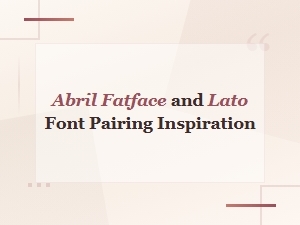 Abril Fatface and Lato Font Pairing Inspiration and Ideas
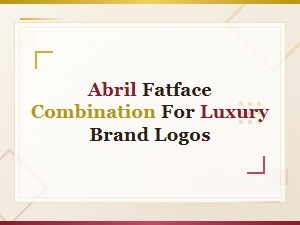 Abril Fatface Font Pairing Ideas for Luxury Brand Logos