Pairing display fonts with the right supporting typeface can make or break your website's readability. Abril Fatface is a bold, eye-catching serif that grabs attention fast but on its own, it can overwhelm body text or break layouts on smaller screens. Knowing how to pair it with Google Fonts for responsive typography means you get visual impact without sacrificing legibility across devices.
What does it mean to pair Abril Fatface with Google Fonts for responsive typography?
Abril Fatface is a Didone-style display typeface designed for large headings and hero sections. It has thick vertical strokes, thin horizontals, and high contrast all traits that look stunning at large sizes but become hard to read at body text sizes, especially on mobile screens.
Pairing it with a Google Font means choosing a complementary typeface that handles paragraphs, navigation, buttons, and other UI elements. Responsive typography adds another layer: the font sizes, line heights, and letter spacing need to adapt smoothly to different screen widths.
The goal is simple use Abril Fatface where it shines (headlines, pull quotes, section titles) and let a well-chosen Google Font do the heavy lifting for everything else. You can explore more about pairing Abril Fatface for responsive layouts in our detailed breakdown.
Why does Abril Fatface need a specific kind of pairing?
Not every font works alongside Abril Fatface. Its dramatic, high-contrast letterforms create tension with typefaces that are also decorative or high-contrast. You need a partner font that offers visual balance usually a clean sans-serif with neutral proportions.
Think of it this way: Abril Fatface is the loud voice in the room. It needs a calm, steady companion. Fonts with even stroke widths, open letterforms, and moderate x-heights tend to complement it best.
When you also factor in responsive design, the body font needs to hold up at 14–16px on mobile while still feeling comfortable to read for extended paragraphs. A font that looks great at headline sizes but turns muddy at small sizes won't cut it.
Which Google Fonts pair well with Abril Fatface?
Here are Google Fonts that work reliably alongside Abril Fatface for responsive web typography:
Lato
Lato has semi-rounded details that give it warmth without losing structure. It reads well at small sizes, supports multiple weights, and has excellent language coverage. The contrast between Lato's friendly geometry and Abril Fatface's sharp serifs creates a balanced visual hierarchy.
Open Sans
Open Sans is one of the most neutral sans-serifs available on Google Fonts. Its open apes and generous letter spacing make it highly legible on screens of all sizes. It stays out of the way and lets Abril Fatface command attention where it should.
Roboto
Roboto's mechanical skeleton with friendly, open curves makes it a practical body font choice. It performs consistently across breakpoints, and its range of weights gives you flexibility for subheadings without competing with your display type.
Raleway
Raleway is an elegant sans-serif that works especially well for creative, editorial, or fashion-related designs. Its thin weights pair beautifully with Abril Fatface for a high-end aesthetic, though you should use Regular or Medium for body text to keep readability intact on mobile.
Nunito
Nunito's rounded terminals soften the overall look of a page. If Abril Fatface feels too formal or sharp for your brand, Nunito brings a friendlier tone to body copy and UI elements without clashing.
You can explore more modern font pairings with Abril Fatface to find the combination that fits your project.
How do you load Abril Fatface and a Google Font together?
You have two main approaches:
Option 1: Google Fonts embed Load Abril Fatface directly from Google Fonts since it's available there. Add the link tag to your HTML head with both fonts in a single request:
Example: Use the Google Fonts URL with families for Abril Fatface (weights 400, 700, or 900) and your chosen body font (weights 400, 400i, 700). This keeps HTTP requests minimal.
Option 2: Self-host both fonts Download the font files, convert them to WOFF2 format, and serve them from your own server. This gives you more control over loading performance and eliminates a third-party request. It also helps with GDPR compliance since no data goes to Google's servers.
Either way, set up your CSS font stack with clear roles:
- Display/heading font: Abril Fatface, with a fallback to Georgia or another serif
- Body/UI font: Your chosen Google Font, with a system sans-serif fallback
How do you make this pairing responsive?
Responsive typography isn't just about making text smaller on phones. Here's how to handle it properly:
Use relative units. Set font sizes in rem or em rather than fixed px values. This lets text scale with the base font size and respects user browser settings.
Scale headings with clamp(). CSS clamp() lets you set a fluid font size with a minimum, preferred, and maximum value. For Abril Fatface headings, something like clamp(2rem, 5vw, 4rem) gives you smooth scaling between breakpoints without media queries.
Adjust line height by breakpoint. Headlines set in Abril Fatface often need tighter line height at large sizes (around 1.1) but looser spacing on mobile (around 1.2–1.3) where lines are shorter. Use media queries or clamp() to handle this.
Limit Abril Fatface to large sizes. Don't use it below 24px. On mobile, if your heading would need to drop below that, consider using the body font in bold weight instead. This is a common responsive pattern swap decorative fonts for simpler alternatives on narrow screens.
Watch your line length. Keep body text between 50–75 characters per line. On wide screens, that might mean constraining the max-width of your text container to around 65ch.
For a deeper look at complementary sans-serif combinations for websites, check our dedicated guide.
What are the most common mistakes when pairing Abril Fatface with Google Fonts?
- Using too many font families. Stick to two: Abril Fatface for display and one Google Font for everything else. Adding a third font creates visual noise and slows page load.
- Loading every weight. You probably only need 2–3 weights for your body font (Regular, Italic, Bold) and 1–2 for Abril Fatface. Each extra weight adds file size.
- Ignoring font-display behavior. Set font-display: swap so text renders immediately with a fallback font, then swaps when the custom font loads. This prevents invisible text (FOIT).
- Choosing another high-contrast serif as a body font. Fonts like Playfair Display or Cormorant alongside Abril Fatface create visual competition. Your body font should be visibly different in style.
- Skipping mobile testing. Always check your pairing on an actual phone screen. Abril Fatface can look perfect on a 27-inch monitor and completely wrong at 320px wide.
- Not declaring font-display in @font-face. If you self-host, forgetting this property leads to blank text during loading.
Quick reference: sample CSS setup
Here's a practical starting structure for your stylesheet:
Define your CSS custom properties with --font-display set to Abril Fatface and --font-body set to your chosen Google Font. Apply Abril Fatface only to h1, h2, and h3 elements. Use clamp() for heading sizes so they scale fluidly between 320px and 1440px viewports. Set body text at a comfortable base size (typically 1rem or 1.05rem) with line-height around 1.6 for readability.
This setup keeps your styles maintainable and your typography consistent across breakpoints.
Practical checklist before you ship
- Choose one display weight for Abril Fatface (usually 400 or 700) and load only that.
- Select a complementary sans-serif Google Font with 2–3 weights max.
- Set both fonts using a single Google Fonts request or self-host with WOFF2.
- Apply font-display: swap to prevent invisible text during loading.
- Use clamp() or vw-based sizing for fluid heading scales.
- Keep body text between 50–75 characters per line on all screen sizes.
- Test the pairing on at least three breakpoints: 320px, 768px, and 1280px.
- Check performance with Google PageSpeed Insights font loading affects your score.
- Verify contrast ratios meet WCAG AA standards (4.5:1 for body text, 3:1 for large text).
Next step: Pick one body font from the list above, add it alongside Abril Fatface in a test page, and view it on your phone. If the text feels easy to read and the headlines still pop, you have a solid pairing. Start there and refine weights, sizes, and spacing from that baseline.
 Best Font Pairing with Abril Fatface for Modern Web Design
 Best Abril Fatface Sans Serif Font Pairings for Modern Websites
 Abril Fatface Serif Font Pairing Ideas for Luxury Brand Web Design
 Free Abril Fatface Font Pairings with Open Sans and Lato
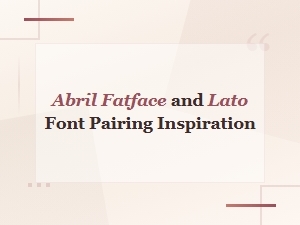 Abril Fatface and Lato Font Pairing Inspiration and Ideas
 Abril Fatface Font Pairing Ideas for Luxury Brand Logos